Price is shown and confirmed securely during Lemon Squeezy checkout.
Start Free Trial Buy now Build • Map • Test • Export
PROFESSIONAL WINDOWS SOFTWARE
Build LED layouts.
Test with confidence.
Map screens, generate calibration patterns, output to four displays, and export production-ready PNG or MP4 files—all from one visual workspace.
Windows 10 / 11 · 64-bit Desktop Application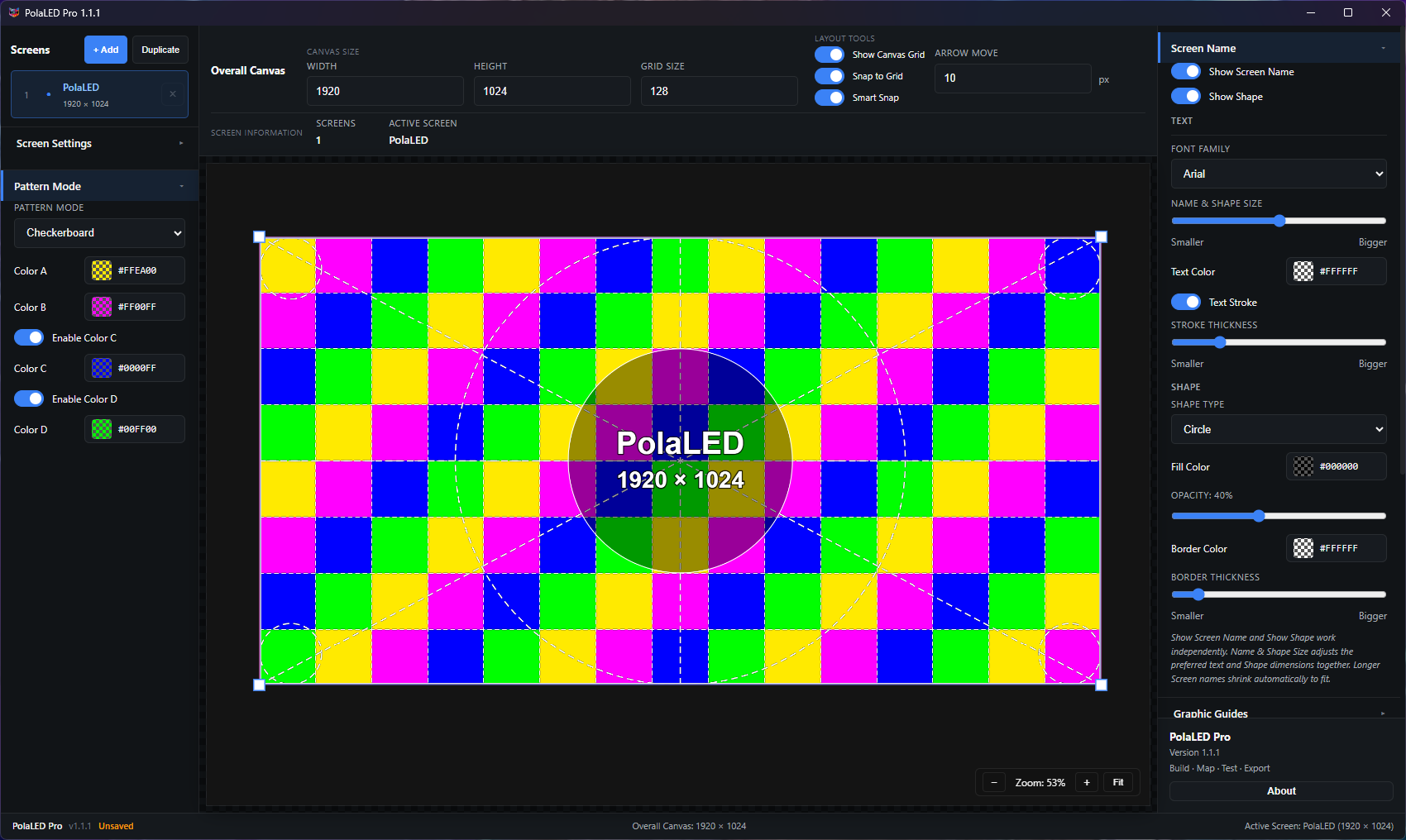 POLALED PRO · VERSION 1.1.1
WHAT IT DOES
One tool. Four clear jobs.
ACTIVE TOOL / 01
Build
Set exact screen resolutions, module sizes, names, colors, and positions inside a flexible visual Canvas.
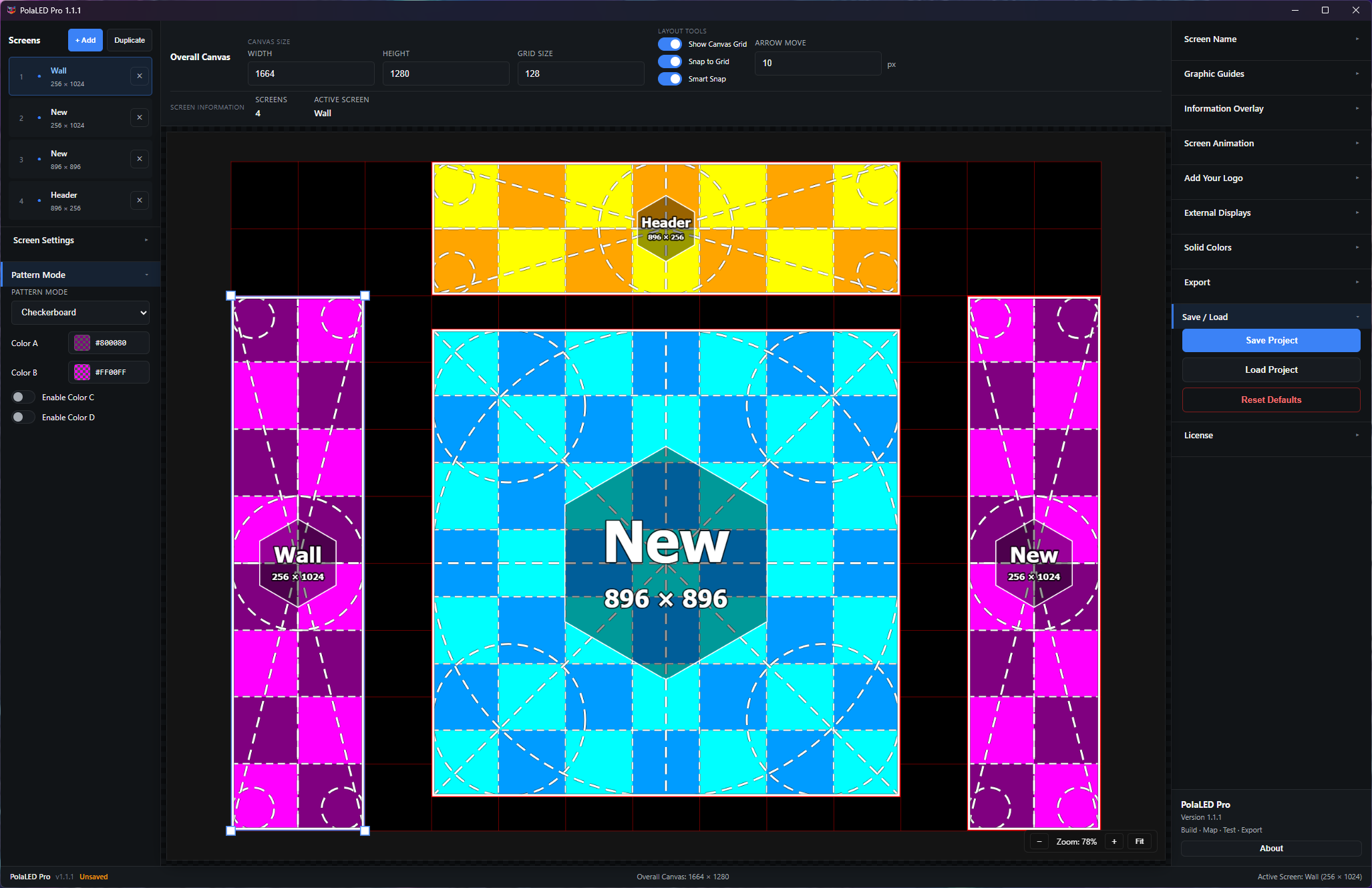
SCREEN MAPPING
Design the complete Canvas visually.
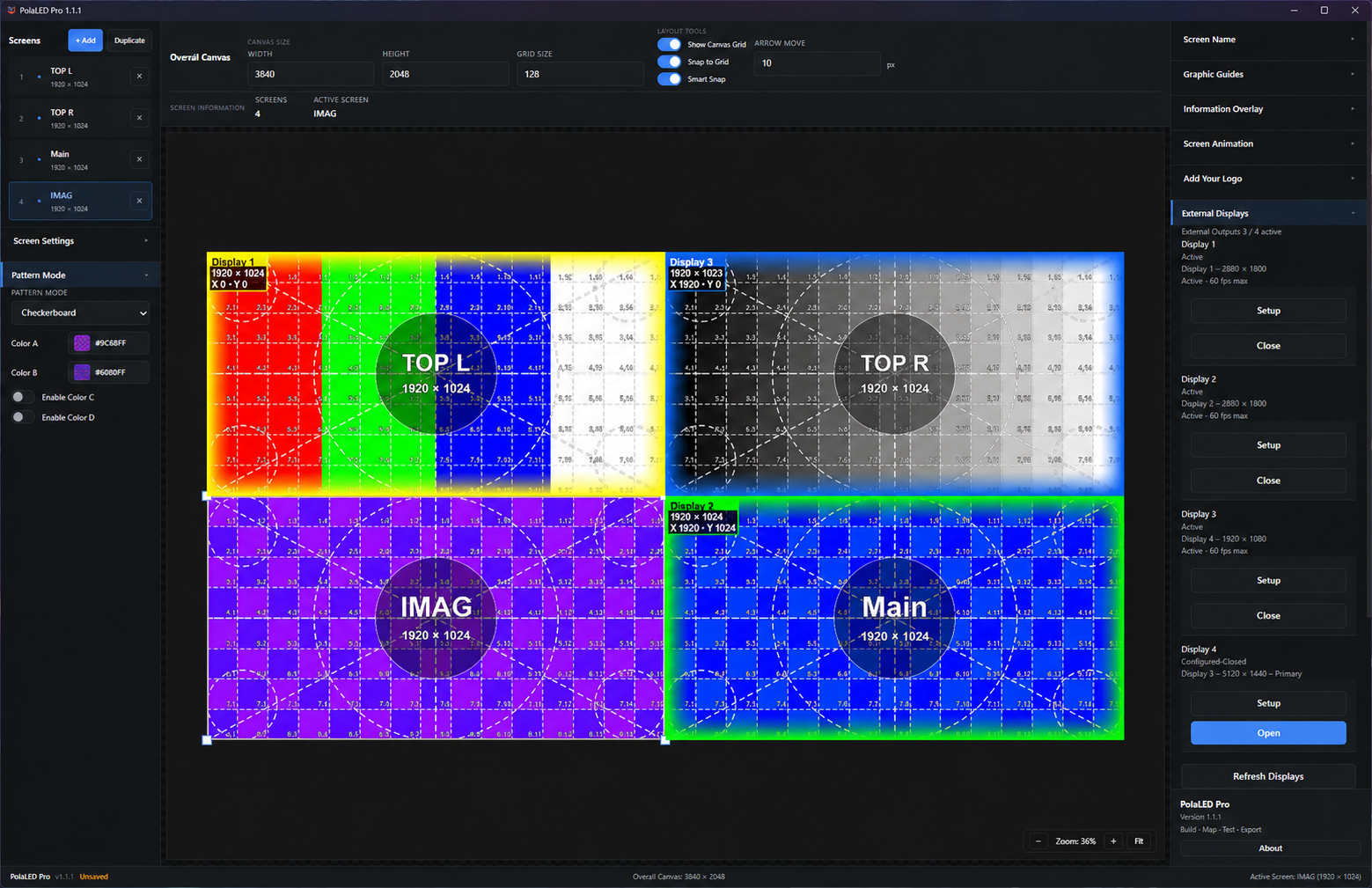
Add unlimited screens, enter exact resolutions, drag and resize directly, then align with Grid Snap and Smart Snap.
- Positive and negative positioning
- Multi-select and keyboard controls
- Screen names, coordinates, and overlays
LIVE OUTPUT
Turn four displays into test outputs.
Send independent Canvas regions to connected monitors at 60 FPS, with detected resolutions and black padding outside Canvas bounds.
- Up to four simultaneous displays
- Independent movable output regions
- Live synchronized testing
REAL APP SCREENSHOTS
See the workflow.
Move across a screen to explore it. Click to view full resolution.
PROFESSIONAL LICENSING
Try everything for 14 days.
Use the full application before your yearly subscription begins. No reduced feature mode.
All professional featuresFour external outputsPNG & MP4 exportOffline use after activation
FAQ
Quick answers.
What is PolaLED Pro?+
Professional Windows software for creating, mapping, testing, and exporting LED screen layouts and test patterns.
Is PolaLED Pro web-based?+
No. It is a Windows 10 and Windows 11 desktop application.
Does it work offline?+
After successful license activation and validation, PolaLED Pro supports offline operation according to its license-validation policy.
How many external outputs are supported?+
Up to four simultaneous external displays.
Can I export patterns?+
Yes. Overall Canvas, selected Screen, and individual Screen PNG exports are supported, along with H.264 MP4.
Is there a free trial?+
Yes. A 14-day trial is available through Lemon Squeezy checkout.